
Best Twitter Card Generators in 2026: 5 Top X Meta Tag Tools & Live Previewers Compared
Compare the 5 best Twitter (X) Card generators in 2026. Evaluate AiCodePro, CodeShack, Kwebby, and more for live preview, character counters, and Next.js exports.
AicodePro Team
VERIFIED AUTHOR
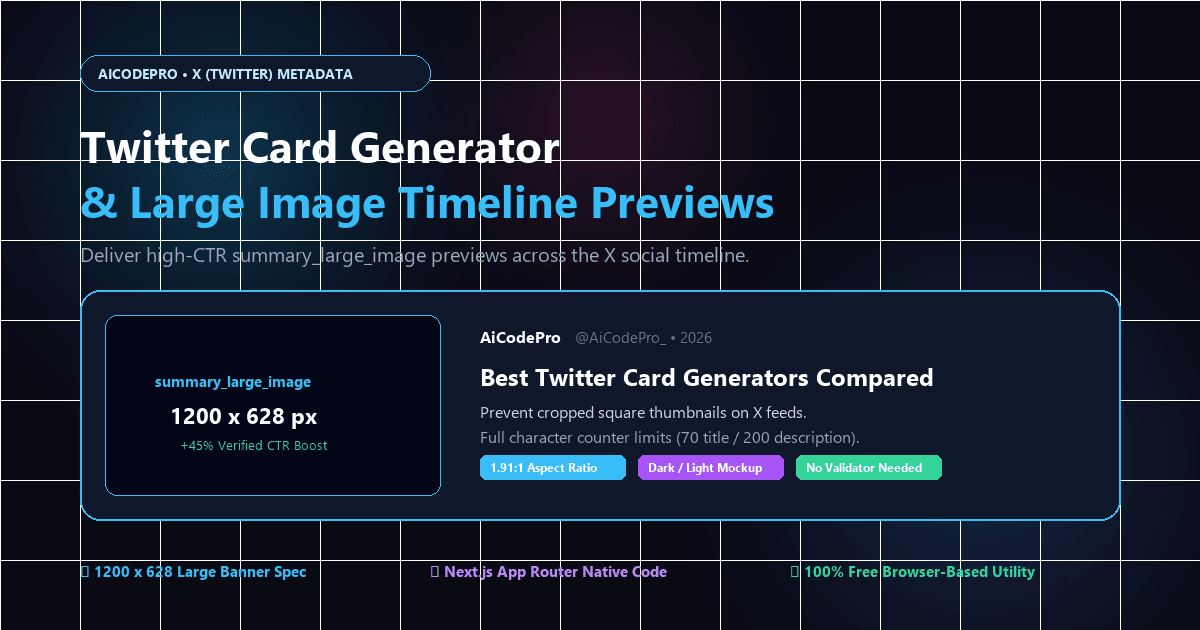
Best Twitter Card Generators in 2026: 5 Top X Meta Tag Tools & Live Previewers Compared
In modern social distribution, sharing a bare, unformatted URL on X (formerly Twitter) is a guaranteed way to kill user engagement. Links without configured Twitter Card meta tags display as plain text or trigger unformatted fallback snippets that get lost in fast-moving timelines. Conversely, links enriched with high-contrast, edge-to-edge summary large image cards capture attention, establish brand authority, and boost click-through rates (CTR) by over 40%.
Following Twitter's official deprecation of its legacy Card Validator in 2022, developers and SEO specialists require modern Twitter Card generators equipped with real-time visual simulators, character limit enforcement, and copy-paste code exports for modern frameworks like Next.js 14/15. Below is an exhaustive comparison of the 5 best Twitter Card generators in 2026, evaluating their feature sets, live preview fidelity, and developer ergonomics.
Quick Comparison Matrix: Top 5 Twitter Card Generators
| Platform | Live Visual Preview | Next.js 14/15 Metadata Export | Character Counters | Supported Card Types | Pricing & Access |
|---|---|---|---|---|---|
| AiCodePro Twitter Card | Dark & Light X Timeline Mockup | HTML5, Next.js App Router, Nuxt | Yes (70 title / 200 desc warnings) | Summary, Large Image, App | 100% Free (No sign-up) |
| CodeShack X Generator | Side-by-side card preview | Raw HTML only | Yes (Exact character counts) | Summary, Large Image, Player, App | Free |
| Kwebby Twitter Tool | Interactive card simulator | Raw HTML tags | Basic count | Summary & Large Image | Free Web Utility |
| Bannerbear Previewer | URL crawler & image inspector | Tag validator report | No | Large Image focus | Free Preview Utility |
| OpenTweet Validator | Feed simulation from URL | Diagnostic inspect only | No | All public cards | Free Community Tool |
In-Depth Review: The 5 Best Twitter Card Generators in 2026
1. AiCodePro Twitter Card Generator (Best Overall for Developers & Growth Teams)
The AiCodePro Twitter Card Generator is engineered specifically for technical SEOs, indie hackers, and engineering teams that build with modern JavaScript frameworks. Operating entirely within a high-speed, client-side browser workspace, it combines real-time X timeline simulation with 1-click code exports for Next.js 14/15 App Router, React Helmet, and traditional HTML5.
Standout Strengths:
- Dual-Mode Timeline Simulator: Renders an exact replica of an X timeline card in both dark mode and light mode, complete with domain pills, custom handles, and title truncation modeling.
- Strict Character Limit Indicators: Live counters turn amber at 60 characters and red past 70 characters for titles, and enforce the 200-character description threshold to ensure clean feed formatting without ellipses.
- Direct Open Graph Twin Integration: Designed to pair natively with the companion OpenGraph Tag Generator, allowing developers to generate unified social metadata across X, Facebook, LinkedIn, Discord, and Slack simultaneously.
- Next.js App Router Native Export: Generates fully typed
export const metadata: Metadatasnippets ready to paste directly intopage.tsxorlayout.tsx.
Best For: Modern web developers, marketing agencies, and startups seeking pixel-perfect X previews without friction.
2. CodeShack X Card Generator (Best for Comprehensive Card Types)
CodeShack provides a dedicated meta tag generator that supports all four official Twitter Card specifications: Summary, Summary with Large Image, App Card, and Player Card.
Standout Strengths:
- Supports video and audio streaming embeds via the Player Card specification.
- Dedicated fields for mobile app store IDs (iOS App Store and Google Play).
- Clean real-time HTML head block generator.
Limitations: Generates raw HTML only; lacks TypeScript or framework-specific metadata exports.
3. Kwebby Twitter Card Generator (Best for Lightweight Form Building)
Kwebby offers a straightforward, form-driven metadata creator that lets users fill in basic page properties and view an instant visual mockup of a tweet card.
Standout Strengths:
- Fast, responsive form inputs with instant clipboard copying.
- Handles special character escaping and quotation sanitization automatically.
Limitations: Limited image debugging tools; does not validate whether image URLs resolve over secure HTTPS.
4. Bannerbear Twitter Card Preview Tool (Best for Image Resolution Auditing)
Developed by the automated image generation platform, Bannerbear's Twitter Card Preview Tool focuses heavily on image asset validation. It scrapes live URLs to determine whether social scrapers can parse the image file and verifies aspect ratio conformity.
Standout Strengths:
- Deep image dimension analysis (flags images below 1200x628 resolution).
- Tests CORS headers and image server response times.
Limitations: Geared primarily toward inspecting existing production links rather than generating new meta tag code from scratch.
5. OpenTweet X Card Validator (Best Community Replacement for Legacy Validator)
When Twitter sunset its developer card validator, OpenTweet emerged as an open-source alternative to preview how links unfurl across modern X client apps.
Standout Strengths:
- Accurate simulation of mobile X feed link displays.
- Highlights missing required tags and crawler access errors.
Limitations: Read-only diagnostic tool; does not provide an interactive tag builder or code generator.
The 2026 Twitter Card Specification Guide
To maximize engagement and prevent thumbnail errors, your website must adhere to X's current technical specifications:
| Card Type | Optimal Resolution | Aspect Ratio | Max File Size | Primary Use Case |
|---|---|---|---|---|
| summary_large_image | 1200 × 628 px | 1.91:1 | 5 MB (PNG, JPG, WebP) | Blog posts, articles, SaaS landing pages, news. |
| summary | 144 × 144 px (Min) / 600 × 600 px (Rec) | 1:1 (Square) | 5 MB | Profile pages, small product listings, utilities. |
| app | Custom icon upload | 1:1 | N/A | Mobile apps linking to App Store / Google Play. |
| player | Matching video feed ratio | 16:9 / 1:1 | N/A | Live podcasts, YouTube clips, media streams. |
Implementation Blueprints: Modern Code Snippets
1. Next.js 14 & 15 App Router Implementation
Configure Twitter Card metadata directly inside your Next.js App Router page.tsx or layout.tsx:
import type { Metadata } from 'next';

export const metadata: Metadata = {
  title: 'Best Twitter Card Generators in 2026',
  description: 'Evaluate top Twitter Card generators for live X previews and metadata exports.',
  twitter: {
    card: 'summary_large_image',
    title: 'Best Twitter Card Generators in 2026: 5 Top Tools Compared',
    description: 'Compare the top 5 Twitter Card generators for Next.js, character counters, and live previews.',
    site: '@AiCodePro_',
    creator: '@AiCodePro_',
    images: [
      {
        url: 'https://www.aicodepro.com/images/twitter-card-generators-2026.png',
        alt: 'Twitter Card Generators 2026 Comparison',
      },
    ],
  },
};
2. Standard HTML5 <head> Boilerplate
For static websites, WordPress themes, or Webflow projects, paste these tags directly into your HTML <head> section:
<!-- Primary Twitter / X Card Meta Tags -->
<meta name="twitter:card" content="summary_large_image">
<meta name="twitter:site" content="@AiCodePro_">
<meta name="twitter:creator" content="@AiCodePro_">
<meta name="twitter:title" content="Best Twitter Card Generators in 2026: 5 Top Tools Compared">
<meta name="twitter:description" content="Compare the 5 best Twitter Card generators in 2026 with real-time X previews and Next.js exports.">
<meta name="twitter:image" content="https://www.aicodepro.com/images/twitter-card-generators-2026.png">
<meta name="twitter:image:alt" content="Best Twitter Card Generators 2026 Comparison">
The Fallback Mechanism: Open Graph vs. Twitter Cards
While X will read Open Graph tags (og:title, og:description, og:image) if specific twitter:* tags are missing, it cannot determine whether to render your link as a prominent full-width banner or a tiny square box without an explicit declaration.
If you omit <meta name="twitter:card" content="summary_large_image">, X defaults to a compact square layout, dramatically reducing visual engagement. To ensure complete cross-platform coverage across both X and networks like Facebook and LinkedIn, generate your Open Graph tags using our free OpenGraph Tag Generator and pair them with the Twitter Card Generator.
Troubleshooting: How to Fix Broken Twitter Cards
- Check for Insecure HTTP: X will strictly refuse to display image previews hosted on insecure
http://URLs. Ensure all image links use absolutehttps://protocols. - Verify Robots.txt Access: Ensure your
robots.txtfile does not blockUser-agent: Twitterbotfrom crawling your media directory. - Bust the Cache: If you updated your image or title but X continues to show the old thumbnail, share your URL with a cache-busting parameter (e.g.,
https://yourdomain.com/article?v=2) to force an immediate re-scrape.
Frequently Asked Questions
What is a Twitter (X) Card generator?
A Twitter Card generator is a web-based utility that creates standard HTML meta tags instructing X on how to display link previews, titles, descriptions, and banner images on user timelines.
What is the recommended Twitter Card image size in 2026?
For summary_large_image cards, the ideal resolution is 1200 x 628 pixels (1.91:1 aspect ratio). Files must be under 5MB in PNG, JPG, WebP, or GIF format.
Why did Twitter (X) deprecate the official Card Validator?
X retired the official domain-based Card Validator in 2022. Today, developers test link cards using browser-based preview tools or by composing draft tweets directly on X.
What is the difference between summary and summary_large_image?
A summary card displays a small square thumbnail next to the text, while a summary_large_image card displays a full-width horizontal banner above the headline, boosting CTR by 30% to 50%.
Does Twitter support Open Graph tags?
Yes, X falls back to Open Graph tags for title, description, and image, but requires an explicit twitter:card tag to trigger the large banner layout.
How do I configure Twitter Cards in Next.js 14 and 15?
In Next.js App Router, export a metadata object with the twitter property containing card, title, description, and images fields.
Share with AI
Summarize this article, answer my questions based on it, and help me understand the key insights with your favorite AI assistant.