
Best Open Graph Tag Generators in 2026: 5 Top Social Meta Tag Tools Compared
Compare the 5 best Open Graph tag generators in 2026. Evaluate AiCodePro, Metatags.io, OpenGraph.xyz, and more for Next.js exports, image sizing, and live social previews.
AicodePro Team
VERIFIED AUTHOR
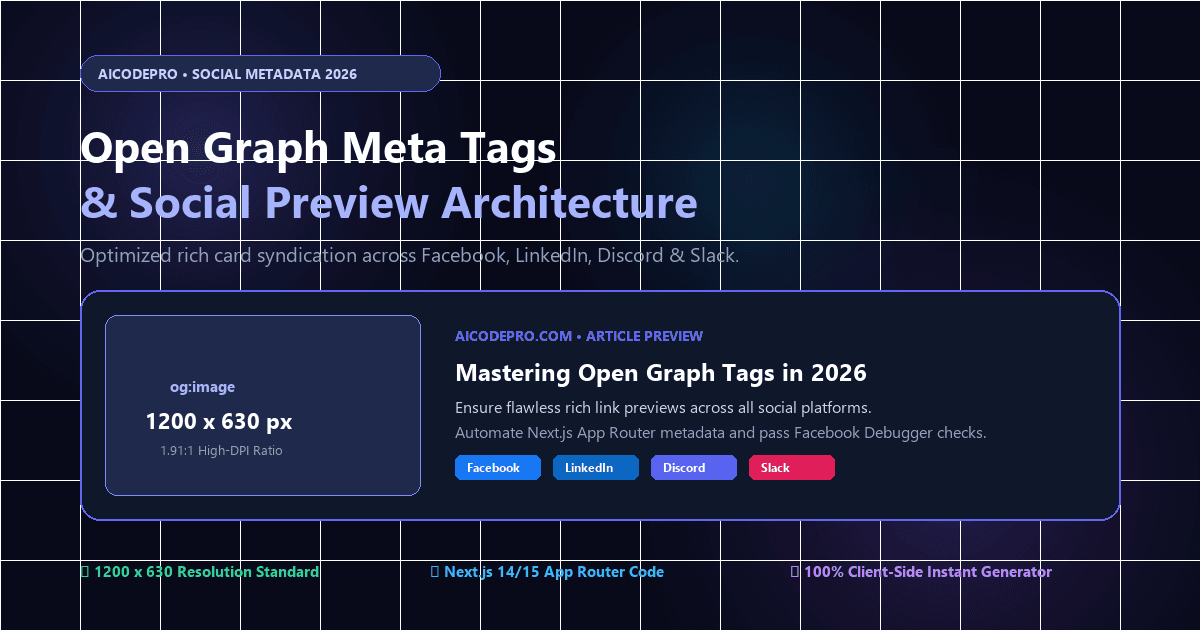
Best Open Graph Tag Generators in 2026: 5 Top Social Meta Tag Tools Compared
In modern digital marketing and search visibility, user acquisition does not happen exclusively on Google search result pages. Every day, millions of clicks and conversions originate from link shares across Facebook, LinkedIn, X (Twitter), Slack, Discord, and WhatsApp, as well as AI conversational interfaces that parse social metadata. When a link lacks proper Open Graph (OG) tags, platforms either scrape arbitrary text and distorted images or display a bare, unformatted URL—cutting organic click-through rates (CTR) by over 50%.
An Open Graph tag generator solves this bottleneck by turning your page details into verified, standard <meta property="og:..."> markup alongside modern framework snippets (like Next.js 14/15 App Router). Below is an exhaustive technical evaluation of the 5 best Open Graph tag generators in 2026, comparing their feature sets, real-time preview accuracy, code export capabilities, and developer experience.
Quick Comparison Matrix: Top 5 Open Graph Generators
The following evaluation matrix compares the top tools based on multi-platform visual simulation, framework export support, character limit indicators, and pricing models:
| Platform | Live Visual Previews | Next.js & Framework Export | Character Counters | Image Aspect Ratio Test | Pricing & Access |
|---|---|---|---|---|---|
| AiCodePro OpenGraph | Facebook, LinkedIn, Discord, Slack | HTML5, Next.js 14/15, Nuxt | Yes (Real-time limit alerts) | Yes (1200x630 1.91:1 validator) | 100% Free (No login required) |
| Metatags.io | Google, Facebook, Twitter | Raw HTML only | Yes (Visual truncation indicator) | Basic preview | Free (Single URL only) |
| OpenGraph.xyz | Facebook, Twitter, LinkedIn | Raw HTML & Image API | Yes | Yes | Free / Paid for Dynamic API |
| Keywords Everywhere | Facebook, X, LinkedIn, WhatsApp | Raw HTML | Basic | Preview only | Free Web Utility |
| Coddy Tech OG Previewer | Discord, Slack, Facebook | HTML tags | Character counts | Preview only | Free |
In-Depth Review: The 5 Best Open Graph Tag Generators in 2026
1. AiCodePro OpenGraph Tag Generator (Best Overall for Modern Developers & Marketers)
Designed specifically for modern engineering teams and growth marketers, the AiCodePro OpenGraph Tag Generator delivers an entirely browser-based workspace that combines instant real-time previews with modern framework exports. While legacy generators only output raw HTML <meta> strings, AiCodePro enables 1-click code generation for Next.js 14/15 App Router metadata objects, React Helmet, and HTML5.
Standout Strengths:
- Multi-Platform Visual Simulation: Instantly toggles between Facebook post previews, LinkedIn card snippets, Discord unfurl boxes, and Slack message cards.
- Real-Time Character Limit Guards: Live character counters alert you before your title exceeds 60 characters or your description exceeds 155 characters, preventing awkward ellipsis truncation on mobile feeds.
- Native Twitter Card Synergy: Seamlessly cross-generates matching X metadata tags using the companion Twitter Card Generator, ensuring large banner previews across all social channels.
- Privacy-First & Zero Friction: Operates entirely client-side without registration walls, paygates, or data logging.
Best For: Full-stack web developers, technical SEOs, and content marketers seeking compliant metadata in seconds.
2. Metatags.io (Best for Side-by-Side Dual-Pane Editing)
Metatags.io remains a popular tool for web designers who want to see code and visual output side by side. It provides a dual-column layout where you edit metadata on the left panel while watching simulated Google, Facebook, and Twitter cards update on the right.
Standout Strengths:
- Simultaneous Google SERP snippet and social card preview.
- Direct image upload to test local visual assets before publishing to production.
- Clean, distraction-free interface.
Limitations: Does not generate modern TypeScript/Next.js metadata configurations; limited to raw HTML head tags. Cannot handle bulk or dynamic URL lists.
3. OpenGraph.xyz (Best for URL Auditing & Dynamic Image Templates)
OpenGraph.xyz functions as both an Open Graph tag generator and an online debugger. Users can either type new tag values into form inputs or paste an existing live production URL to inspect what metadata Facebook and LinkedIn scrapers currently read.
Standout Strengths:
- Live URL scraper that diagnoses missing
og:imageor unformatted descriptions. - Offers dynamic social image generation APIs for programmatic SEO websites (paid tier).
- Clean representation of Pinterest and LinkedIn cards.
Limitations: Advanced automation and custom image generation require monthly recurring subscriptions.
4. Keywords Everywhere Open Graph Tool (Best for Multi-Network Verification)
Developed by the team behind the popular keyword research extension, the Keywords Everywhere Open Graph Generator provides a functional multi-network simulator. It renders previews across Facebook, LinkedIn, Twitter/X, Discord, Slack, and WhatsApp.
Standout Strengths:
- Covers WhatsApp link cards, which are frequently overlooked by other tools.
- Includes basic validation checks for image dimensions and secure HTTPS protocols.
Limitations: Interface is dated and lacks copy-paste snippets for modern frameworks like Next.js or Nuxt.
5. Coddy Tech Open Graph Previewer (Best for Developer Chat Apps)
Coddy Tech caters to indie hackers and community builders who distribute links primarily across Discord servers and developer Slack channels. It accurately simulates Discord bot link unfurling and Slack compact embeds.
Standout Strengths:
- Accurate simulation of Discord embeds (including color bar side strips).
- Fast, lightweight browser execution.
Limitations: Lacks canonical URL validation and does not support Twitter summary large image toggling.
The 2026 Open Graph Technical Specification Cheatsheet
To ensure your webpage passes all social crawler validations and avoids display errors, your Open Graph implementation must follow official The Open Graph protocol standards:
| Open Graph Property | Requirement | Recommended Limit | Technical Function & Best Practice |
|---|---|---|---|
og:title | Required | 50–60 characters | The primary headline of your content. Do not include your brand name if already defined in og:site_name. |
og:type | Required | N/A | Specifies the object type. Use website for homepages and landing pages; use article for blog posts and news. |
og:image | Required | 1200 × 630 px | Must be an absolute HTTPS URL. Optimal aspect ratio is 1.91:1. Keep file size under 5MB (PNG, JPG, WebP). |
og:url | Required | Canonical URL | The permanent canonical URL of the resource. Prevents split social engagement metrics across URL parameters. |
og:description | Recommended | 120–155 characters | A concise summary of the page content. Avoid keyword stuffing; focus on driving click-through engagement. |
og:site_name | Recommended | Brand name | Identifies the overarching website or publication name (e.g., "AiCodePro"). |
og:locale | Recommended | Language/Territory | Defaults to en_US. Format as language_TERRITORY (e.g., en_GB, fr_FR). |
Implementation Blueprints: Modern Code Snippets
1. Next.js 14 & 15 App Router Implementation
If your website is built on Next.js App Router (such as AiCodePro), configure your Open Graph tags dynamically inside layout.tsx or page.tsx using the native Metadata API:
import type { Metadata } from 'next';

export const metadata: Metadata = {
  title: 'Best Open Graph Tag Generators in 2026',
  description: 'Evaluate top Open Graph tools for social meta tag generation and previews.',
  openGraph: {
    title: 'Best Open Graph Tag Generators in 2026: 5 Top Tools Compared',
    description: 'Compare the top 5 Open Graph generators for Next.js, Facebook, and LinkedIn previews.',
    url: 'https://www.aicodepro.com/blog/seo-aeo-and-geo/best-open-graph-tag-generators-2026',
    siteName: 'AiCodePro',
    images: [
      {
        url: 'https://www.aicodepro.com/images/og-generators-2026.png',
        width: 1200,
        height: 630,
        alt: 'Top Open Graph Tag Generators Comparison',
      },
    ],
    locale: 'en_US',
    type: 'article',
  },
  twitter: {
    card: 'summary_large_image',
    title: 'Best Open Graph Tag Generators in 2026',
    description: 'Compare top social meta tag tools with live preview.',
    images: ['https://www.aicodepro.com/images/og-generators-2026.png'],
  },
};
2. Standard HTML5 <head> Boilerplate
For custom web applications, static sites, or Webflow projects, insert these meta tags directly between the opening <head> and closing </head> tags:
<!-- Primary Open Graph Meta Tags -->
<meta property="og:type" content="article">
<meta property="og:url" content="https://www.aicodepro.com/blog/seo-aeo-and-geo/best-open-graph-tag-generators-2026">
<meta property="og:title" content="Best Open Graph Tag Generators in 2026: 5 Top Tools Compared">
<meta property="og:description" content="Compare the 5 best Open Graph tag generators in 2026 with live previews and Next.js exports.">
<meta property="og:image" content="https://www.aicodepro.com/images/og-generators-2026.png">
<meta property="og:image:width" content="1200">
<meta property="og:image:height" content="630">
<meta property="og:site_name" content="AiCodePro">
<meta property="og:locale" content="en_US">

<!-- Twitter / X Card Meta Tags -->
<meta name="twitter:card" content="summary_large_image">
<meta name="twitter:title" content="Best Open Graph Tag Generators in 2026: 5 Top Tools Compared">
<meta name="twitter:description" content="Compare the 5 best Open Graph tag generators in 2026 with live previews and Next.js exports.">
<meta name="twitter:image" content="https://www.aicodepro.com/images/og-generators-2026.png">
Open Graph vs. Twitter Cards: Why You Need Both
A common misconception among developers is that implementing Open Graph tags eliminates the need for Twitter (X) Card tags. While X will fall back to reading og:title, og:description, and og:image, it will not know whether to render your post as a small thumbnail or a full-width visual banner unless you specify the card type.
Without an explicit declaration of <meta name="twitter:card" content="summary_large_image">, X defaults to a compact square layout, dramatically reducing visual engagement on the timeline. To guarantee optimal presentation across both networks, generate your tags side-by-side using the AiCodePro OpenGraph Tag Generator and verify your large card formatting with the Twitter Card Generator.
Social Debugging & Cache Purging Playbook
Even after correctly publishing Open Graph tags, social networks often continue showing outdated thumbnails or broken descriptions because their crawlers store metadata in long-lived internal caches. When updating an existing page, follow this sequential cache-purging checklist:
- Facebook & WhatsApp Cache: Open the official Facebook Sharing Debugger, enter your page URL, and click Scrape Again. Facebook will immediately fetch the fresh metadata, which also updates WhatsApp previews.
- LinkedIn Cache: Enter your URL into the LinkedIn Post Inspector. LinkedIn will clear its cached preview and display the newly crawled image and description.
- X (Twitter) Cache: Since X retired its public card validator, you can force a cache reset by sharing your link with a cache-busting query parameter (e.g.,
https://yourdomain.com/page?v=2) or previewing it inside a draft tweet composer.
Frequently Asked Questions
What happens if a website does not have Open Graph tags?
If Open Graph tags are missing, social platforms guess what to display by scraping the first available <h1>, standard meta description, or arbitrary body images found in your HTML. In many cases, platforms fail to find an appropriate image altogether, resulting in an unformatted link that achieves significantly lower engagement.
What is the difference between Open Graph tags and standard HTML meta tags?
Standard HTML meta tags (like <title> and <meta name="description">) are designed specifically for search engine web crawlers (Google, Bing). Open Graph tags (<meta property="og:...">) adhere to the Open Graph protocol developed by Facebook, specifically governing how content renders on social media feeds and chat applications.
Why is my Open Graph image not showing when shared on LinkedIn or WhatsApp?
The three most frequent causes are: (1) The image URL uses an insecure http:// protocol instead of https://, (2) The image resolution is smaller than 600 x 315 pixels, which causes platforms to reject the banner, or (3) The social platform has cached an earlier version of the URL prior to the tags being published.
Can I use an SVG file for my og:image?
No. Neither Facebook, LinkedIn, nor X support SVG vector files for social preview cards. You must provide a raster image format such as PNG, JPG, or WebP. PNG and WebP are recommended for crisp text and graphics.
What is the maximum character limit for og:title and og:description?
Facebook and LinkedIn recommend keeping og:title between 50 and 60 characters and og:description under 155 characters. Exceeding these limits causes the platform to truncate the text with an ellipsis (...), especially on mobile viewports.
How do Open Graph tags affect SEO and search engine rankings?
While Open Graph tags are not a direct Google ranking factor, they substantially influence organic search visibility. High-CTR social shares generate genuine referral traffic, increase brand mentions, and boost user engagement signals. Furthermore, modern AI search engines (like ChatGPT Search and Perplexity) evaluate social metadata when indexing digital entities and generating brand summaries.
Share with AI
Summarize this article, answer my questions based on it, and help me understand the key insights with your favorite AI assistant.